

The Ultimate Laptop Buying Guide: How to Choose the Perfect Machine for 2026 and Beyond
Introduction (~400 words)
Buying a laptop in 2026 is no longer a simple “pick a processor, check RAM, and go” decision. It has become a layered, ecosystem-driven, and surprisingly strategic choice—closer to choosing a long-term digital partner than a piece of hardware.
Over the past decade, laptops have evolved from bulky productivity machines into ultra-thin, AI-accelerated, always-connected computing hubs. We’ve moved from HDDs to lightning-fast NVMe SSDs, from dual-core CPUs to hybrid architectures with performance and efficiency cores, and from simple Full HD screens to OLED and Mini-LED panels that rival professional monitors.
But with this evolution comes complexity.
Today’s buyers face a confusing landscape:
- Intel, AMD, Apple Silicon, and Qualcomm all competing with radically different architectures
- Laptop names like “Ultra 7 155H” or “Ryzen AI 9 HX 370” that reveal little to most users
- RAM and storage configurations that sound similar but perform very differently
- Displays that vary not just in resolution, but in panel technology, brightness behavior, and color accuracy
- And entire ecosystems (Windows, macOS, ChromeOS, Linux) that lock you into workflows and devices
The result? Most buyers either overpay for specs they don’t need—or underbuy and regret it within a year.
This guide is designed to eliminate that confusion completely.
We’ll break down every critical hardware component in depth, compare operating systems honestly, and then map real-world laptop choices to specific user types—from students and remote professionals to gamers, developers, and creative professionals.
By the end, you won’t just know what to buy—you’ll understand why you’re buying it.
Let’s start with the foundation: what actually makes a modern laptop tick.
Understanding the Core Anatomy
A modern laptop is a tightly integrated system where every component affects performance, battery life, and usability. Understanding these parts is essential before comparing devices.
1. CPUs: The Brain of the Laptop
The CPU (Central Processing Unit) defines raw performance, efficiency, and multitasking ability.
Intel vs AMD vs Apple Silicon vs Qualcomm
Intel (Core Ultra Series)
Intel’s modern chips (Core Ultra series) focus on a hybrid architecture:
- Performance cores (P-cores): Handle heavy workloads
- Efficiency cores (E-cores): Manage background tasks
- Integrated AI engines in newer models
Strengths:
- Excellent single-core performance
- Strong compatibility with Windows software
- Great for productivity and business laptops
Weaknesses:
- Can run hotter under sustained load
- Battery efficiency varies by model
AMD Ryzen (Ryzen AI Series)
AMD has become a true competitor with its Ryzen AI and HX series chips.
Strengths:
- Excellent multi-core performance
- Better integrated graphics than Intel (Radeon iGPU)
- Strong value-to-performance ratio
Weaknesses:
- Slightly weaker single-core in some workloads
- OEM optimization varies by brand
Apple Silicon (M-Series: M3, M4, etc.)
Apple’s ARM-based chips are a completely different category.
Strengths:
- Extremely power-efficient
- Silent operation (fanless on base models)
- Industry-leading performance-per-watt
- Unified memory architecture
Weaknesses:
- Limited upgradeability
- macOS-only ecosystem
- Some niche Windows apps unavailable
Qualcomm Snapdragon X Series (ARM for Windows)
A major shift in 2026 is ARM-based Windows laptops.
Strengths:
- Exceptional battery life (often 18–24 hours real usage)
- Always-on connectivity
- Efficient AI processing
Weaknesses:
- App compatibility still evolving
- Gaming support limited
- ARM emulation overhead in some cases
Core Count, Clock Speed, and TDP Explained
- Core Count: More cores = better multitasking and rendering
- Clock Speed (GHz): Higher = faster single-task performance
- TDP (Thermal Design Power): Determines heat and performance sustainability
A high-end CPU isn’t just about peak speed—it’s about sustained performance without overheating.
2. RAM: The Multitasking Engine
RAM determines how many applications your laptop can handle smoothly.
Why 8GB is Dead in 2026
8GB RAM is no longer sufficient for modern workloads:
- Browsers alone can consume 3–5GB
- Background apps, AI tools, and OS overhead demand more memory
16GB = New Baseline
For most users, 16GB is now the minimum recommended configuration.
32GB+ = Power Users
Needed for:
- Video editing (4K/8K timelines)
- Virtual machines
- 3D rendering
- Heavy development environments
DDR5 vs LPDDR5/LPDDR5X
- DDR5 RAM:
- Faster upgradeable modules
- Slightly higher power consumption
- LPDDR5/5X:
- Soldered (non-upgradable)
- Much more power-efficient
- Found in ultrabooks and MacBooks
3. Storage: The Silent Performance Multiplier
Storage affects everything from boot time to file transfers.
NVMe SSDs (PCIe Gen 4 vs Gen 5)
- Gen 4 SSDs:
- Up to ~7,000 MB/s speeds
- Still more than enough for most users
- Gen 5 SSDs:
- Extreme speeds (10,000–14,000 MB/s)
- Useful for professionals working with massive files
Why Storage Speed Matters Daily
Faster SSDs improve:
- Boot time
- App launch speed
- File transfers
- Game loading screens
- AI model processing (in some workloads)
Capacity recommendations:
- 512GB → Minimum acceptable
- 1TB → Ideal for most users
- 2TB+ → Creators and professionals
4. Displays: Your Window Into the Machine
Display technology has become one of the most important buying factors.
IPS LCD
- Good color accuracy
- Affordable
- Decent brightness
- Limited contrast
Still common in budget and mid-range laptops.
OLED Displays
- True blacks (per-pixel lighting)
- Excellent contrast
- Vibrant colors
Downside:
- Risk of burn-in (rare but possible)
- Slightly lower peak brightness in some models
Mini-LED
- Extremely bright panels
- Excellent HDR performance
- Close to OLED quality without burn-in risk
Resolution: 1080p vs 2K vs 4K
- 1080p: Budget-friendly, lower sharpness
- 2K (1440p / 1600p): Best balance for laptops
- 4K: Ultra-sharp but battery intensive
Aspect Ratios
- 16:9: Traditional, media-focused
- 16:10: Modern productivity standard (more vertical space)
Refresh Rates
- 60Hz: Standard office use
- 120Hz+: Smooth scrolling, gaming, better UX
5. Graphics: Integrated vs Dedicated GPUs
Integrated Graphics
Found in most CPUs:
- Intel Iris Xe / Arc iGPU
- AMD Radeon iGPU
- Apple integrated GPU
Good for:
- Office work
- Streaming
- Light editing
Dedicated GPUs (NVIDIA RTX / AMD Radeon)
Essential for high-performance tasks.
- NVIDIA RTX 4050/4060/4070/4080/4090
- AMD Radeon RX series
Key concept: TGP (Total Graphics Power)
Higher TGP = better real-world performance, even with same GPU model.
The OS Ecosystem Debate
Windows: The Universal Platform
Windows remains the most flexible OS.
Strengths:
- Massive software compatibility
- Best gaming platform
- Wide hardware selection
- Customization freedom
Weaknesses:
- Inconsistent optimization across devices
- Occasional bloatware
- Driver issues in some models
macOS: The Creative Powerhouse
Apple’s ecosystem is tightly integrated.
Strengths:
- Extremely optimized performance
- Industry-leading battery efficiency
- Seamless ecosystem (iPhone, iPad, Mac)
- Excellent for creative work
Weaknesses:
- Expensive hardware
- Limited gaming support
- Restricted upgrade options
ChromeOS: Simplicity First
Designed for cloud-first users.
Strengths:
- Fast boot times
- Very secure
- Long battery life
- Affordable
Weaknesses:
- Limited offline software
- Not suitable for heavy workloads
Linux: The Developer’s Playground
Highly customizable OS.
Strengths:
- Open-source
- Lightweight
- Powerful for development and servers
Weaknesses:
- Steep learning curve
- Limited commercial software support
Categorized Buying Archetypes
1. The Everyday User / Student
Key Priorities:
- Affordability
- Battery life
- Lightweight design
Recommended Specs:
- CPU: Intel Core i5 / Ryzen 5 / Snapdragon X
- RAM: 16GB
- Storage: 512GB SSD
- Display: 14” 1080p or 2K IPS
- Battery: 10–18 hours
Ideal Features:
- USB-C charging
- Fingerprint login
- Lightweight chassis (<1.5 kg)
2. Corporate / Remote Professional
Key Priorities:
- Keyboard comfort
- Security
- Reliability
Recommended Specs:
- CPU: Intel Core Ultra 7 / Ryzen 7
- RAM: 16–32GB
- Webcam: 1080p or better
- Storage: 1TB SSD
Must-Have Features:
- TPM security chip
- Backlit keyboard
- Excellent trackpad
- Business-grade build quality
3. Hardcore Gamer
Key Priorities:
- GPU performance
- Cooling system
- High refresh rate display
Recommended Specs:
- CPU: Intel HX / Ryzen HX series
- GPU: RTX 4060–4090
- RAM: 16–32GB
- Display: 144Hz–240Hz
Critical Factors:
- GPU TGP matters more than model name
- Vapor chamber cooling preferred
- MUX switch support for performance boost
4. Creative Professional
Key Priorities:
- Color accuracy
- Rendering power
- Display quality
Recommended Specs:
- CPU: Apple M-series / Ryzen 9 / Intel Ultra 9
- RAM: 32GB+
- Display: OLED or Mini-LED, 4K preferred
- Storage: 1–2TB NVMe
Key Requirements:
- 100% DCI-P3 color coverage
- Calibrated display
- GPU acceleration for Adobe / DaVinci
5. Software Developer
Key Priorities:
- Compilation speed
- Multitasking
- Virtualization
Recommended Specs:
- CPU: High-core Ryzen or Intel Ultra
- RAM: 32GB recommended
- Storage: 1TB SSD minimum
Ideal Features:
- Linux compatibility (dual boot or native support)
- Multiple monitor support
- Strong thermal stability
The Hidden Variables
Many buyers overlook critical real-world performance factors.
1. Thermal Throttling
Even powerful CPUs slow down when overheating. Thin laptops often sacrifice sustained performance for portability.
2. Port Selection Matters More Than You Think
Look for:
- Thunderbolt 4 / USB4 → Fast external SSDs, docks
- HDMI 2.1 → High refresh external displays
- SD Card slot → Essential for photographers
3. Build Materials
- Aluminum: Premium feel, better heat dissipation
- Plastic: Lighter and cheaper, but less durable
4. Battery Life Reality vs Marketing
Manufacturers often quote unrealistic numbers.
Real-world usage is usually:
- 60–70% of advertised battery life
- Depends heavily on screen brightness and workload
1. The Reality of Laptop Performance Over Time
One of the biggest mistakes buyers make is evaluating laptops like they are static devices. In reality, laptops degrade in performance perception over time—not because the CPU suddenly becomes weaker, but because software becomes heavier.

What actually changes after 2–4 years:
- Operating systems become more resource-heavy
- Browsers increase RAM consumption significantly
- Apps like Photoshop, Premiere Pro, and IDEs expand in size
- Background AI services start running constantly
- Battery degradation reduces peak performance modes
The “Feels Slow” problem
A laptop with:
- 16GB RAM in 2026
can feel like: - 8GB RAM in 2029
Not because memory shrinks—but because demand increases.
Key takeaway:
If you want a laptop to feel fast for 4–5 years, you must overbuy slightly today, especially in:
- RAM (always prioritize this first)
- CPU efficiency (not just raw power)
- Cooling system quality
2. Laptop Brand Behavior (What Manufacturers Don’t Tell You)
Not all laptops are engineered equally—even if they share identical CPUs and GPUs.
Premium Engineering Brands
These brands prioritize sustained performance and build quality:
- Apple (MacBook series)
- Dell (XPS, Latitude)
- Lenovo (ThinkPad series)
- ASUS (ROG high-end, ZenBook premium)
What they do better:
- Better thermal design
- Higher-quality power delivery
- More stable BIOS/firmware updates
- Longer lifespan under load
Value Brands (Spec-heavy, cost-focused)
- Acer
- HP (mid-range lines)
- MSI entry-level laptops
- Lenovo IdeaPad series
Strengths:
- Better specs per dollar
- Frequent discounts
- Good entry-level performance
Weaknesses:
- Weaker cooling systems
- More plastic builds
- Inconsistent long-term reliability
Critical Insight: Same CPU ≠ Same Performance
Two laptops with identical chips can differ by 20–40% performance depending on:
- Cooling design
- Power limits (TDP tuning)
- Fan curve aggressiveness
- Motherboard quality
This is why thin laptops often “feel slower” than thicker ones with the same specs.
3. The Hidden Performance Killer: Power Limits
Modern CPUs and GPUs do not run at a fixed speed. They dynamically adjust based on:
- Temperature
- Power limits
- Manufacturer tuning
This is where many buyers get misled.
Example: RTX 4060 Laptop GPU
Depending on laptop design:
- 45W version → entry-level gaming performance
- 105W version → significantly faster (~30–50% difference)
Same GPU name. Completely different experience.
CPU Boost Reality
A CPU like Intel Core Ultra or Ryzen HX:
- Can peak at very high GHz for short bursts
- But will drop under sustained load if cooling is weak
This is called thermal throttling.
Practical Advice:
If performance matters:
- Avoid ultra-thin gaming laptops
- Prefer thicker chassis with better airflow
- Always check “TGP” for GPU and “PL1/PL2 limits” for CPU
4. Future-Proofing: What Actually Matters in 2026–2030
Future-proofing is not about buying the “best laptop.” It’s about buying the right bottlenecks avoided.
Most Future-Proof Components:
1. RAM
- 16GB → short-term safe
- 32GB → true long-term stability
- 64GB → workstation class longevity
RAM demand increases faster than CPU requirements.
2. SSD Storage
Games, apps, and AI tools are rapidly increasing in size.
- 512GB → will feel small in 2 years
- 1TB → safe baseline
- 2TB → ideal for professionals
3. CPU Efficiency > Raw Power
A slightly weaker but efficient chip often outlasts a “faster but hotter” chip.
Why?
- Lower heat = less throttling over years
- Better battery retention
- More stable performance curves
4. AI Acceleration (New in 2026 era)
Modern laptops now include NPUs (Neural Processing Units).
They handle:
- Background AI tasks
- Voice processing
- On-device summarization
- Photo/video enhancements
This will become increasingly important as apps shift toward local AI execution.
5. Pricing Tiers Explained (Real Value Breakdown)
Laptop pricing is less about specs and more about engineering quality per dollar.
₹30,000 – ₹50,000 ($350–$600)
Category: Basic computing
- Web browsing
- Office work
- Online classes
Expect:
- 8–16GB RAM
- Basic IPS display
- Weak cooling systems
₹50,000 – ₹90,000 ($600–$1,100)
Category: Sweet spot
Best value range.
- 16GB RAM
- SSD storage
- Ryzen 5 / Core i5 or better
You get:
- Solid performance
- Decent build quality
- Good battery life
₹90,000 – ₹1,50,000 ($1,100–$1,800)
Category: Premium mainstream
- OLED or high-end IPS
- RTX 4050/4060 options
- Better CPUs and thermals
Ideal for:
- Professionals
- Creators
- Serious multitaskers
₹1,50,000+ ($1,800+)
Category: Flagship / workstation
- MacBook Pro / high-end XPS / gaming beasts
- 32–64GB RAM
- Top-tier displays
- Advanced cooling systems
This tier focuses on longevity and peak performance stability, not just specs.
6. Common Buying Mistakes (And How to Avoid Them)
Mistake 1: Buying Only Based on CPU Name
A “Core i7” is meaningless without generation and wattage context.
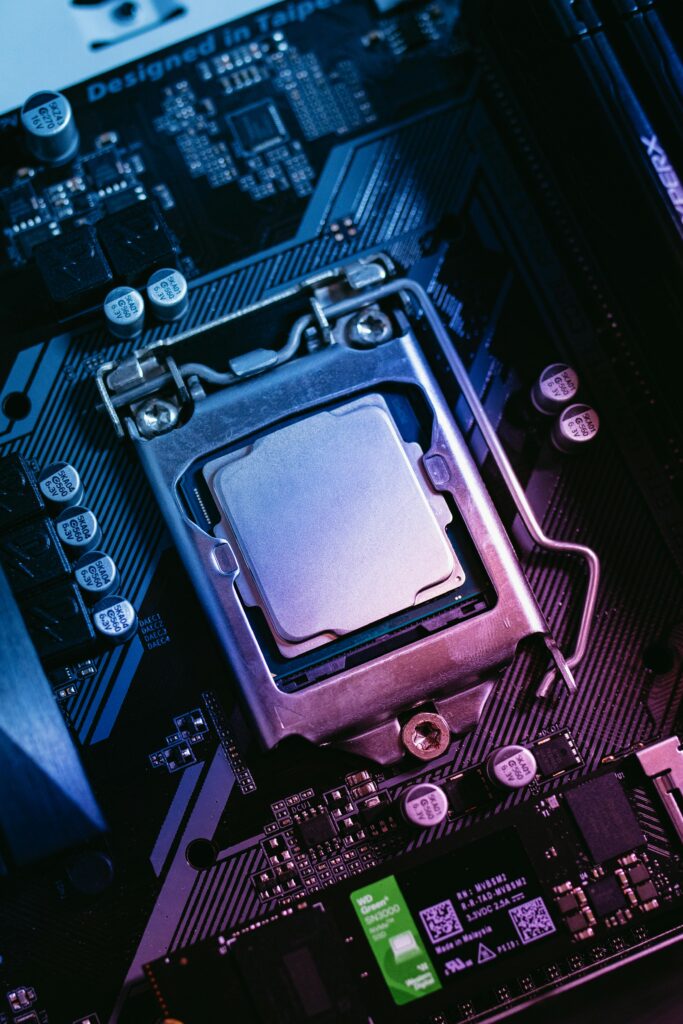
Mistake 2: Ignoring Cooling Design
Thin laptops often throttle heavily under load.
Mistake 3: Choosing 8GB RAM in 2026
This leads to slowdowns within months, not years.
Mistake 4: Overpaying for 4K Displays
4K looks great but:
- drains battery faster
- often unnecessary below 15-inch screens
Mistake 5: Ignoring Keyboard and Trackpad
These affect daily productivity more than benchmark scores.
7. The Future of Laptops: What’s Coming Next0.
The next evolution of laptops is already underway.
1. AI-Native Laptops
Devices will increasingly run:
- Local AI assistants
- Real-time translation
- Smart workload optimization
2. ARM Domination Growth
ARM chips (Apple + Snapdragon) are pushing:
- Better battery life
- Cooler systems
- Silent operation
3. Cloud + Hybrid Computing
More workloads will shift to:
- Cloud rendering
- Remote development environments
- Streaming applications instead of local installs
4. Modular Upgrades (Limited Return)
Most laptops are becoming less upgradeable—but external ecosystems (eGPUs, SSD docks) are filling the gap.
Final Expanded Insight
A laptop in 2026 is no longer just a device—it is a performance ecosystem decision involving:
- Hardware architecture
- Thermal engineering
- Software optimization
- Ecosystem compatibility
- Future AI workload readiness
8. Thermal Engineering Deep Dive: Why Thin Laptops Lose in Real Life
On paper, many ultrabooks look insanely powerful. In reality, sustained performance is governed by one thing:
Heat dissipation capacity
A laptop CPU doesn’t fail—it is forced to slow down.
The 3 Thermal States of Every Laptop CPU
1. Burst Mode (0–30 seconds)
- Maximum turbo boost
- Highest GHz
- Marketing benchmark performance
👉 This is what YouTube reviews often show.
2. Sustained Mode (5–20 minutes)
- Power limit kicks in
- Heat builds up
- Clock speeds stabilize lower
👉 This is your real-world performance.
3. Steady State (30+ minutes)
- Thermal equilibrium
- Fan noise stabilizes
- Performance locked by cooling system
👉 This determines long-term usability.
Why thicker laptops win
They have:
- Larger heat pipes
- Vapor chamber cooling (premium models)
- Higher fan surface area
- Better airflow paths
Even if a thin laptop has a “better CPU,” it may lose in real performance.
9. Display Engineering Secrets Most Buyers Never Check
Displays are not just “OLED vs IPS.” There are hidden variables that drastically change quality.
1. Brightness vs Sustained Brightness
Manufacturers advertise peak brightness (e.g., 600 nits), but:
- Peak brightness lasts only seconds (HDR burst)
- Sustained brightness is often 30–50% lower
👉 This matters outdoors and in bright rooms.
2. PWM Flicker (Hidden Eye Strain Issue)
Many OLED and low-end IPS panels use PWM (Pulse Width Modulation) for brightness control.
Effects:
- Eye fatigue
- Headaches
- Perceived flickering (especially at low brightness)
👉 Not listed in spec sheets, but critical for long use.
3. Color Calibration Reality
Even a “100% sRGB” panel can be poorly calibrated out of the factory.
High-end laptops include:
- Factory Delta E < 2 calibration
- Hardware color profiles
- Dolby Vision / HDR tuning
4. Refresh Rate vs Response Time
- 120Hz alone ≠ smooth experience
- Response time (ms) matters equally
Poor response = ghosting even on high refresh displays.
10. SSD Performance Myth: Why “Gen 5” Isn’t Always Better
PCIe Gen 5 SSDs look impressive on paper:
- 10,000–14,000 MB/s speeds
But real-world usage tells a different story.
Real Bottleneck: Latency, Not Speed
Most daily tasks involve:
- Small file reads
- App launches
- OS operations
These rely on:
random read/write performance, not peak sequential speed
Why Gen 4 is still enough in 2026
In real usage:
- Boot time difference = milliseconds
- App opening difference = barely noticeable
- Gaming load times = minimal gain
When Gen 5 actually matters
Only for:
- 8K video editing
- Large dataset AI training
- Scientific computing
- Heavy cache workloads
👉 For 90% users: Gen 4 is the sweet spot
11. Battery Chemistry & Real-World Longevity
Battery life isn’t just capacity (Wh). It’s chemistry, optimization, and thermal stress.

Lithium Polymer vs Lithium Ion
Modern laptops mostly use:
- Lithium Polymer (Li-Po)
- Higher flexibility in design
- Slightly better energy density
What actually kills batteries
1. Heat exposure
Heat is the #1 enemy of battery lifespan.
- Gaming laptops degrade faster
- Thin laptops with poor airflow also suffer
2. Constant 100% charging
Keeping laptop plugged in permanently:
- increases wear cycles
- reduces long-term capacity
3. Fast charging stress
Fast charging = convenience, but:
- generates more heat
- increases internal resistance over time
Battery health reality (after 2–3 years)
Typical degradation:
- 10–20% loss (well-managed laptops)
- 30–40% loss (gaming / hot-running laptops)
12. Keyboard & Trackpad: The Most Underrated Performance Factor
Most buyers focus on CPU/GPU—but productivity depends heavily on input devices.
Keyboard depth matters
- 1.0–1.2mm travel → shallow (ultrabooks)
- 1.5–1.8mm → ideal typing comfort
- 2.0mm+ → ThinkPad-level excellence
Why ThinkPads are still loved
Lenovo ThinkPad X1 Carbon
They prioritize:
- Key stability
- Consistent feedback
- Long typing sessions without fatigue
Trackpad quality differences
High-end trackpads offer:
- Precision haptic feedback
- Glass surface smoothness
- Better palm rejection
Cheap laptops often fail here, making them feel “slow” even if specs are good.
13. Ports & Connectivity Future-Proofing
Ports determine how long your laptop remains usable without adapters.
Must-have modern ports
1. USB-C (USB4 / Thunderbolt 4)
- Charging
- External GPUs
- High-speed storage
- Docking stations
2. HDMI 2.1
Essential for:
- 4K 120Hz monitors
- external displays
- gaming setups
3. SD / microSD slot
Critical for:
- photographers
- videographers
- content creators
The adapter trap
Many thin laptops remove ports to look sleek—but then require:
- dongles
- hubs
- external docks
👉 Long-term inconvenience is often ignored at purchase time.
14. AI Era Impact: The New Laptop Category Shift (~350 words)
Laptops in 2026 are increasingly defined by AI capability, not just raw compute.
What is changing
Modern CPUs now include NPUs (Neural Processing Units):
They handle:
- Background transcription
- Image enhancement
- On-device summarization
- Voice assistants
- Power optimization
Why NPUs matter
Instead of CPU/GPU doing everything:
- CPU = general tasks
- GPU = graphics/parallel compute
- NPU = AI-specific workloads
This improves:
- battery life
- responsiveness
- multitasking efficiency
Future direction
Within 2–3 years:
- Apps will assume local AI availability
- Laptops without NPUs may feel outdated faster
15. Final Master-Level Decision Rule (~250 words)
If you remember nothing else, remember this:
The 3-Rule Laptop Buying System
Rule 1: Buy RAM for the future, not the present
- Minimum: 16GB
- Ideal: 32GB
Rule 2: Buy cooling, not just performance
A cooler laptop:
- performs better
- lasts longer
- ages slower
Rule 3: Buy ecosystem compatibility
Ask:
- Does it support my software for 4+ years?
- Does it work with my devices?
- Is it repairable/upgradable if needed?
Closing Insight
A modern laptop is no longer just a hardware purchase.
It is a combination of:
- thermal engineering
- software ecosystem
- power efficiency design
- long-term usability planning
The best laptop in 2026 is not the fastest one.
It is the one that remains consistently fast after years of real use.